An AI photoshoot from a single photo
The short answer: there are two ways to get AI photos of yourself. The training approach ingests ten to twenty of your selfies, fine-tunes a model on your face over some hours, and then generates new images of you in any situation. The single-photo approach transforms one photograph you just took. Training buys you novel poses and stronger likeness across many images; single-photo buys you speed, no upload of a face dataset, and a result anchored to a real moment. Pose AI is the second kind.
How the training approach works
You upload a set of photos — usually ten to twenty, ideally varied in angle and lighting. The service fine-tunes a model so that a particular token means your face. Then it generates entirely new images: you in a studio, you in a suit, you on a beach, in poses you have never struck.
What you get is genuine novelty. What it costs you is time (typically hours before the first image), a set of your own face data sitting on someone's server for the life of the model, and results that are invented rather than anchored — a picture of a plausible you, not of you at a moment.
How the single-photo approach works
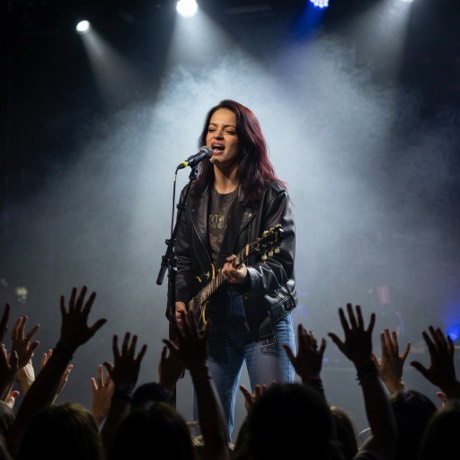
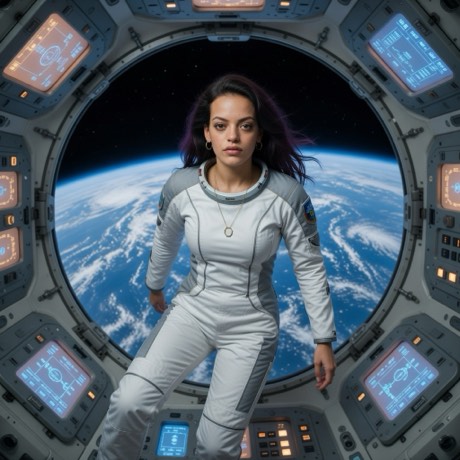
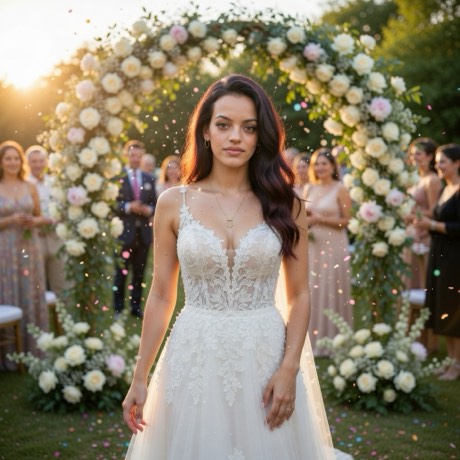
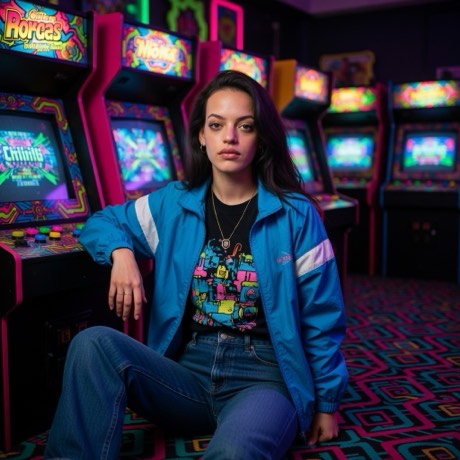
You take one photo now. The model transforms it — changing the light, or the outfit and the setting — while preserving your face from the photo itself. No training, nothing learned or stored about your face, and about twenty seconds instead of hours.
The trade is that the result stays tethered to the photo you took. Your pose is roughly your pose. Your framing is roughly your framing. The model is transforming a real image, not conjuring an arbitrary one.
The honest comparison
- Speed: single-photo wins outright — seconds against hours.
- Pose variety: training wins. It can put you in positions you never held.
- Likeness across many images: training generally holds a face more consistently over a large batch, because that's precisely what it was optimised for.
- Feeling like a real moment: single-photo wins. It started as one.
- What you hand over: training requires a dataset of your face. Single-photo sends one image when you choose a look and nothing before that.
- Effort per result: single-photo. One tap per look, no prompt writing.
Category pricing differs too: training-based services generally charge per model or per pack because the fine-tuning itself costs real compute. Transform-only tools don't carry that cost.
How to run a single-photo shoot
- Download the app — Pose AI, free on the App Store.
- Take the photo, or bring one in. Shoot straight from the app's camera, or pull in something already on your camera roll. Nothing leaves your phone until you pick a look.
- Shoot deliberately. This is the step that replaces training. Front-on, well-lit, half-body, plain background — a good input carries the whole result.
- Pick three looks, not one. Run the same photo through a few. Variation across looks is what makes it feel like a shoot rather than a filter.
- Use Reimagine for scene changes and Restyle when you only want the light and grade to move.
- Keep the ones where your face survived. That's the only criterion that matters — and it's why you should always compare against the original.
Which one should you use
Use a training-based service when you need many images of yourself in poses and settings you can't stage, and you're comfortable handing over a face dataset and waiting. Use single-photo when you want something now, from a moment that actually happened, without uploading a set of yourself first.
They aren't really competitors. One invents pictures of you; the other transforms a picture that is you.
What neither one fixes
Generated imagery has consistent failure modes regardless of approach. Hands go wrong. Text on signs and clothing becomes decorative nonsense. Glasses and jewellery drift. Groups are harder than individuals, because every additional face is another chance for one to slip. None of that is a reason to avoid the tools — it's a reason to check the result before you post it.
Run the shoot from one photo
No training set, no upload of your face beforehand, about twenty seconds a look.
Download on theApp StoreFree to download · iPhone · iOS 17+