Cartoon yourself: how to turn a photo into a cartoon
The short answer: to cartoon yourself, you hand a photo to a model that redraws it as an illustration — flattening the light into blocks of colour, adding linework, and simplifying your features while keeping their proportions. "Cartoon" covers a lot of different drawing traditions, and the one you pick matters more than the app you pick. Pose AI has eleven of them, from 1930s rubber hose to flat storybook to hand-built stop-motion clay.
"Cartoon" is at least six different looks
Most tools give you one cartoon style and call it done. It's worth knowing what the options actually are, because they flatter very different faces:
- Flat storybook illustration — soft shapes, muted palette, minimal linework. The gentlest and most flattering; good for almost any photo.
- Western comic book — bold ink, saturated primaries, dot shading. High contrast; wants a photo with a strong expression.
- Rubber hose — the 1930s style with round limbs, pie-cut eyes and a monochrome palette. Very stylised; identity survives through silhouette rather than features.
- Pencil — graphite drawing, no colour. The most conservative of the set and the one that most reliably still looks like you.
- Pixel — deliberate low-resolution grid. Identity here is entirely about hair shape and colour blocking.
- Woodblock — carved-block printing. Texture-led rather than line-led.
Why cartooning loses people's likeness
Cartooning is compression. You're throwing away almost all the information in a photograph and keeping a few dozen marks. Which marks you keep decides whether it's still you.
The ones that matter are structural, not fine: the ratio of your face's width to its height, where your hairline sits, the distance between your eyes, the shape of your jaw, and the silhouette of your hair. Apps that optimise for a pretty cartoon rather than an accurate one smooth those toward an average — which is why so many cartoon apps make a whole friend group look like siblings.
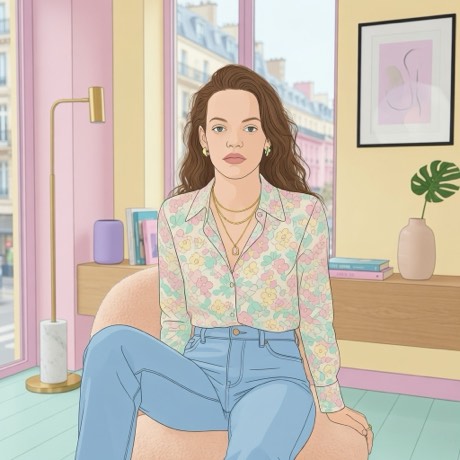
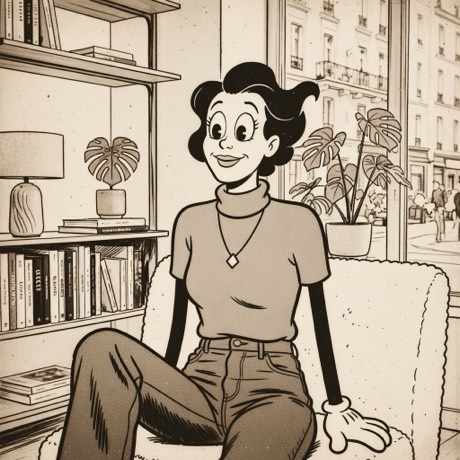
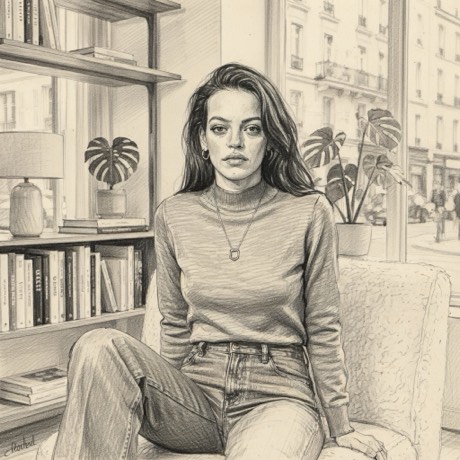
How to cartoon yourself with Pose AI
- Download the app — Pose AI, free on the App Store.
- Take the photo, or bring one in. Shoot straight from the app's camera, or pull in something already on your camera roll. Nothing leaves your phone until you pick a look.
- Open the Animation family and scroll the drawn mediums.
- Start with Storybook or Pencil if you're not sure. They're the two most forgiving — and once you see how your face survives a gentle flattening, you'll know how far you can push it.
- Then try the extreme ones. Rubber Hose and Pixel change much more, and they either land brilliantly or not at all. It's worth running the same photo through two or three.
Choosing a photo that cartoons well
A good cartoon input is not the same as a good photo. What helps:
- Directional light. Cartooning turns gradients into hard-edged shapes, so it needs a clear light side and shadow side to work with. Flat, even lighting flattens into mush.
- A real expression. Illustration exaggerates, and it has nothing to exaggerate on a neutral face.
- Distinctive hair. In a heavily simplified image, hair silhouette does more identity work than any facial feature.
- Uncluttered background. Busy backgrounds get redrawn into busy noise that competes with you.
Cartoon vs anime
Anime is one specific tradition inside the broader cartoon category, with its own conventions — large eyes, cel shading, particular hair rendering. If that's the look you want, go straight to the anime filter guide. If you want something drawn but not specifically Japanese, the styles on this page cover far more ground.
The honest caveats
Hands are unreliable in any generated image and cartooning doesn't fix that. Text becomes decorative gibberish. Glasses, earrings and small jewellery are frequently redrawn as something adjacent. And a profile view gives the model much less structure to preserve than a front-on shot, so faces turned well away from the camera lose the most likeness.
Cartoon yourself in about twenty seconds
Eleven drawn mediums, from pencil to clay puppet.
Download on theApp StoreFree to download · iPhone · iOS 17+